
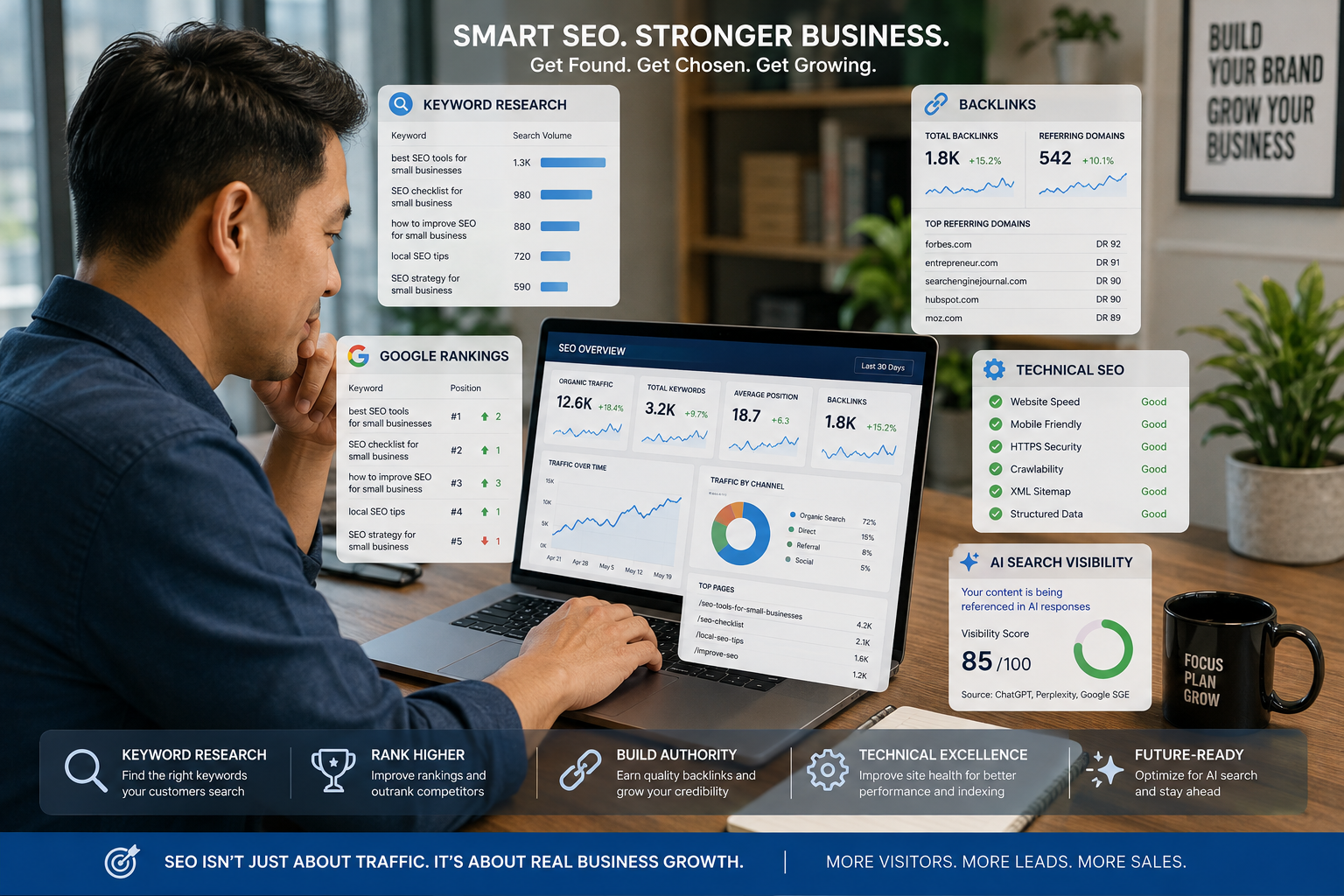
If you’re running a small business, getting found online can make a huge difference.
The problem is that SEO can quickly become overwhelming.
You need to find the right keywords.
You need to understand your competitors.
You need to identify technical problems.
You need to monitor rankings.
You need to improve your content.
And increasingly, you also need to understand how your brand appears in AI-powered search experiences.
Fortunately, you don’t need to do all of this manually.
The right SEO tools can help you identify opportunities, diagnose problems and make better decisions about your website and content strategy.
But which tools are actually worth paying for?
In this guide, we’ll compare the best SEO tools for small businesses in 2026, including Semrush, Ahrefs, Moz, Google Search Console and other useful platforms.
More importantly, I’ll explain which SEO tool is best for each situation, so you don’t end up paying for an expensive platform packed with features you’ll never use.
Quick Answer: What Are the Best SEO Tools for Small Businesses?
If you want the short answer, these are some of the best SEO tools for small businesses in 2026:
- Semrush — Best all-in-one SEO and AI visibility platform
- Ahrefs — Best for backlinks and competitive research
- Google Search Console — Best free SEO tool
- Google Analytics — Best for measuring website traffic
- Moz Pro — Best for SEO beginners and local SEO
- Screaming Frog SEO Spider — Best for technical SEO audits
- Ubersuggest — Best for affordable keyword research
- AnswerThePublic — Best for finding question-based keywords
- Surfer — Best for content optimization
- Yoast SEO — Best for WordPress on-page SEO
My overall recommendation:
Semrush is the strongest all-around choice for a small business that wants keyword research, competitor analysis, site auditing, rank tracking and increasingly AI-search visibility in one ecosystem.
If your budget is limited, start with Google Search Console + Google Analytics and add a paid SEO platform when you need deeper competitive and keyword data.
1. Semrush — Best Overall SEO Tool for Small Businesses
Best for: Small businesses that want an all-in-one SEO platform.
If you’re looking for one platform that can cover most of your SEO workflow, Semrush is my top pick.
The platform combines keyword research, competitor analysis, site auditing, rank tracking, content optimization and other digital marketing capabilities.
More importantly for 2026, Semrush has expanded beyond traditional search visibility into AI search visibility.
Its current SEO + AI Search plans include capabilities for tracking keywords, auditing websites and monitoring performance across AI search experiences. Its Starter plan also includes AI visibility features covering platforms such as Google Search, ChatGPT, Perplexity and Gemini.
That’s important because search is no longer simply:
Google → website → click
People are increasingly discovering brands through AI-generated answers and recommendations.
What can you use Semrush for?
- Keyword research
- Competitor analysis
- Technical SEO audits
- Rank tracking
- Content optimization
- Backlink research
- Local SEO
- AI search visibility
- SEO reporting
Semrush currently describes its small-business offering around keyword research, position tracking, site audits and competitor insights, while its newer AI visibility capabilities are designed to monitor how brands perform in AI search.
Best for:
Small businesses that want one serious SEO platform rather than assembling several separate tools.
Is Semrush worth it?
If SEO is an important acquisition channel for your business, potentially yes.
But don’t subscribe simply because it has dozens of tools.
Use it when you have enough SEO activity to justify the investment.
Affiliate opportunity: Semrush’s current affiliate program offers commissions for its SEO, AI Visibility, Content, Local and other toolkits, with a 120-day cookie window.
2. Ahrefs — Best for Backlink and Competitor Research
Best for: SEO professionals, content marketers and businesses focused heavily on organic search.
Ahrefs is another major SEO platform and one of the strongest choices if backlinks and competitor research are important to your strategy.
Its current platform includes:
- Site Explorer
- Keywords Explorer
- Site Audit
- Rank Tracker
- Competitive Analysis
- Brand Radar
- AI prompt tracking
- Web analytics
Ahrefs’ current plans also include tools for tracking visibility across search and AI-related discovery.
One particularly attractive feature for smaller businesses is Ahrefs Free, which provides limited access to Site Explorer and Site Audit for website owners.
What makes Ahrefs useful?
Suppose your competitor ranks #1 for an important keyword.
You can investigate:
- Which pages generate their traffic
- Which keywords they rank for
- Their backlink profile
- Competing content
- Search opportunities
That makes competitor research considerably more actionable.
Best for:
Businesses that want deep competitor, keyword and backlink intelligence.
3. Google Search Console — Best Free SEO Tool
Best for: Every website owner.
If you’re running a website and aren’t using Google Search Console, you’re leaving valuable information on the table.
And the best part?
It’s free.
Google Search Console helps website owners understand how their site performs in Google Search.
You can use it to investigate:
- Search queries
- Clicks
- Impressions
- Average position
- Indexed pages
- Search visibility
- Technical issues
- Sitemap status
It is particularly useful because the data comes directly from Google’s search ecosystem.
Why every small business should use it
Imagine discovering that your website receives impressions for:
“best accounting software for Singapore small business”
but you’re ranking around position 18.
That’s an SEO opportunity.
You may already have some relevance for the query.
You just need to improve the page.
Best for:
Every small business, regardless of budget.
SET UP GOOGLE SEARCH CONSOLE →
4. Google Analytics — Best for Measuring SEO Results
Best for: Understanding what visitors do after they arrive.
SEO isn’t simply about rankings.
It’s about business outcomes.
Getting 10,000 visitors doesn’t help much if nobody:
- Buys
- Calls
- Submits a form
- Books an appointment
- Downloads something
- Signs up
Google Analytics can help you understand what happens after visitors reach your website.
For example:
Organic traffic
↓
Landing page
↓
Engagement
↓
Lead
↓
Sale
This lets you evaluate whether your SEO strategy is actually contributing to business growth.
Best for:
Businesses that want to connect SEO traffic with website engagement and conversions.
5. Moz Pro — Best for SEO Beginners
Best for: Small businesses that want a relatively approachable SEO platform.
Moz has been a long-standing name in SEO and offers tools for keyword research, site auditing, rank tracking and link research.
One reason beginners may consider Moz is its educational ecosystem.
SEO can be confusing.
A tool is only useful if you understand what its data means.
Moz’s learning resources can make the process more approachable for people who are relatively new to SEO.
Best for:
Small-business owners who want structured SEO tools without immediately jumping into an extremely complex enterprise-style platform.
6. Screaming Frog SEO Spider — Best for Technical SEO
Best for: Website owners, developers and SEO professionals who need detailed technical analysis.
Sometimes the problem isn’t your keywords.
It’s your website.
You might have:
- Broken links
- Redirect problems
- Duplicate pages
- Missing title tags
- Missing meta descriptions
- Incorrect canonical tags
- Indexing issues
Screaming Frog SEO Spider is designed to crawl websites and identify technical SEO issues.
It’s particularly useful for larger websites where manually checking every page would be impractical.
Best for:
Technical SEO audits and websites with many pages.
7. Ubersuggest — Best Affordable Keyword Research Option
Best for: Beginners, bloggers and small businesses with limited SEO budgets.
If you’re not ready to invest in a premium SEO platform, Ubersuggest can be an alternative worth exploring.
Its primary appeal is simplicity.
You can use keyword research tools to discover:
- Keyword ideas
- Search volume
- SEO difficulty
- Content ideas
- Competitor information
For someone learning SEO, a simpler tool can sometimes be more useful than an advanced platform containing hundreds of features.
Best for:
Beginners and small businesses looking for accessible keyword research.
8. AnswerThePublic — Best for Question-Based Keywords
Best for: Content marketers and businesses creating informational content.
One of the easiest ways to find content opportunities is to understand the questions people ask.
For example, if you sell website design services, your audience might search:
How much does a business website cost?
How long does it take to build a website?
Should a small business use WordPress?
What should a business website include?
Those questions can become:
- Blog posts
- FAQ sections
- YouTube videos
- Social content
- Product pages
AnswerThePublic is designed around discovering questions and search topics related to a keyword.
Best for:
Finding long-tail keywords and question-based content ideas.
9. Surfer — Best for Content Optimization
Best for: Businesses producing SEO-focused content.
Creating content isn’t enough.
You also need to make sure your content actually addresses search intent.
Surfer is designed to help content creators optimize articles around search terms and competitive content signals.
It can be useful for businesses publishing:
- Blog articles
- Guides
- Product content
- Comparison articles
- Landing pages
The key is not to blindly follow a content score.
Your article still needs to be useful to humans.
Google’s current guidance emphasizes creating helpful, reliable and original content rather than producing pages solely to manipulate search rankings.
Best for:
Content teams and businesses that publish SEO-focused articles regularly.
10. Yoast SEO — Best WordPress SEO Plugin
Best for: WordPress websites.
If your small business website runs on WordPress, an SEO plugin can make many basic optimization tasks easier.
Yoast SEO is one of the better-known options.
It can help with areas such as:
- SEO titles
- Meta descriptions
- XML sitemaps
- Canonical URLs
- Schema-related features
- On-page optimization
However, remember:
An SEO plugin doesn’t do your SEO strategy for you.
Getting a green indicator doesn’t automatically mean your page will rank.
The plugin is a tool.
Your:
Keyword research + content + technical SEO + authority + user experience
still matter.
Best for:
WordPress users who want structured on-page SEO controls.
Which SEO Tool Is Best for Small Businesses?
Here’s the simple comparison.
| SEO Tool | Best For | Free Option | Best Overall? |
|---|---|---|---|
| Semrush | All-in-one SEO + AI visibility | Yes | 🏆 |
| Ahrefs | Backlinks & competitors | Yes | ⭐⭐⭐⭐⭐ |
| Google Search Console | Search performance | Yes | ⭐⭐⭐⭐⭐ |
| Google Analytics | Traffic & conversions | Yes | ⭐⭐⭐⭐⭐ |
| Moz Pro | Beginners | Limited | ⭐⭐⭐⭐ |
| Screaming Frog | Technical SEO | Yes | ⭐⭐⭐⭐ |
| Ubersuggest | Affordable keyword research | Limited | ⭐⭐⭐⭐ |
| AnswerThePublic | Content ideas | Limited | ⭐⭐⭐⭐ |
| Surfer | Content optimization | Limited | ⭐⭐⭐⭐ |
| Yoast SEO | WordPress SEO | Yes | ⭐⭐⭐⭐ |
What Is the Best Free SEO Tool for a Small Business?
If you can only use free tools, start with:
1. Google Search Console
Understand what your website already ranks for.
2. Google Analytics
Understand what visitors do once they arrive.
3. Screaming Frog
Use the free version for smaller technical audits.
4. Google Keyword Planner
Find keyword ideas and understand search demand.
5. Ahrefs Webmaster Tools
Use the available free website-owner functionality to get additional SEO insights.
This combination can provide a surprisingly strong starting point without paying for an expensive SEO subscription.
What Is the Best SEO Tool for Keyword Research?
If keyword research is your primary objective, several options are worth considering.
Best overall:
Semrush
Best for advanced SEO research:
Ahrefs
Best for beginners:
Ubersuggest
Best free starting point:
Google Keyword Planner + Google Search Console
But don’t focus only on search volume.
The most valuable keyword isn’t necessarily the keyword with the most searches.
A small business should consider:
Search demand + competition + search intent + commercial value + relevance.
A keyword with 200 highly relevant monthly searches can be more valuable than a keyword with 20,000 searches if the smaller keyword attracts people ready to buy.
What Is the Best SEO Tool for Local Businesses?
If you’re a local business, your SEO strategy is different from a national e-commerce website.
You may care about searches such as:
“best dentist in Singapore”
“website designer Singapore”
“accountant near me”
“Italian restaurant Orchard Road”
For local SEO, you should consider tools that help with:
- Local rankings
- Google Business Profile
- Citations
- Reviews
- Location-based keywords
- Competitor research
Semrush’s current product lineup includes a dedicated Local Toolkit, which is specifically designed around local visibility.
Best overall:
Semrush
Essential free platform:
Google Business Profile
Best strategy:
Combine local SEO tools with strong location-specific website content and genuine customer reviews.
What Is the Best SEO Tool for AI Search and GEO?
This is one of the biggest changes in SEO.
Traditional SEO asks:
“How do I rank in Google?”
GEO and AI-search optimization increasingly ask:
“How does my brand appear when people ask AI systems for recommendations?”
Google itself now provides guidance around optimization for generative AI features and explicitly notes that traditional SEO best practices remain relevant. It also emphasizes unique, non-commodity content and useful local, shopping, image and video information.
For businesses, that means you should increasingly monitor:
- Brand mentions
- AI-generated recommendations
- Citations
- Entity associations
- Search visibility
- Content relevance
- Brand sentiment
Semrush has responded by adding AI visibility tracking and monitoring across platforms including Google Search, ChatGPT, Perplexity and Gemini.
Ahrefs also now offers Brand Radar and tracked AI prompts within its platform.
My recommendation:
If GEO/AI visibility is important to your business, investigate:
Semrush + Ahrefs
rather than treating traditional keyword rankings as the entire picture.
How Many SEO Tools Does a Small Business Actually Need?
Probably fewer than you think.
You don’t need ten subscriptions.
A practical SEO stack could be:
Starter Stack
Google Search Console
Google Analytics
Yoast SEO
That’s enough to begin.
Growing Business Stack
Google Search Console
Google Analytics
Semrush
Yoast SEO
This is a much stronger combination for businesses actively investing in organic search.
Advanced SEO Stack
Semrush
Ahrefs
Google Search Console
Google Analytics
Screaming Frog
Content optimization platform
This makes more sense for agencies, larger websites and businesses where SEO is a major acquisition channel.
How to Use SEO Tools Effectively
Having access to an expensive SEO platform doesn’t guarantee results.
The process matters more.
Here’s a simple workflow.
Step 1: Find Opportunities
Use keyword research tools to discover:
- High-intent keywords
- Long-tail keywords
- Questions
- Competitor keywords
- Content gaps
Step 2: Understand Search Intent
Before creating a page, ask:
What is the searcher actually trying to accomplish?
For example:
“best website builder for small business”
has commercial-investigation intent.
But:
“how to build a business website”
is more informational.
Your content should match the intent.
Step 3: Analyze the Competition
Look at the pages already ranking.
Ask:
- What topics do they cover?
- What questions do they answer?
- What are they missing?
- How can you provide a better experience?
Don’t simply copy the top-ranking pages.
Find the gaps.
Step 4: Create Better Content
Your page should be:
- Useful
- Original
- Easy to navigate
- Well structured
- Factually accurate
- Written for humans
This matters for both traditional search and AI discovery.
Step 5: Optimize the Technical Foundation
Check:
- Page speed
- Mobile usability
- Indexing
- Internal links
- Metadata
- Structured data
- Broken links
- Canonicals
Step 6: Measure Results
Track:
Rankings → Traffic → Engagement → Leads → Sales
Not simply:
Rankings
A #1 ranking that produces no business isn’t necessarily a successful SEO campaign.
Long-Tail SEO Keywords Small Businesses Should Target
If you’re trying to rank a small business website, don’t only chase broad keywords like:
“SEO”
“website design”
“digital marketing”
Those keywords can be extremely competitive.
Instead, look for specific long-tail searches.
Examples include:
Commercial Keywords
- best SEO tools for small businesses
- affordable SEO tools for small business
- best SEO software for startups
- best keyword research tool for small business
- best SEO audit tool for small business
- best SEO tools for local businesses
- best SEO tools for small e-commerce businesses
- best SEO software for entrepreneurs
Informational Keywords
- how to do SEO for a small business website
- how to find keywords for a small business
- how to improve Google rankings for a small business
- how to do local SEO for a small business
- how much does SEO cost for a small business
- how long does SEO take for a small business
- what SEO tools does a small business need
- how to track SEO performance for a small business
AI Search / GEO Keywords
- how to optimize a small business website for AI search
- how to get a business mentioned by ChatGPT
- how to improve AI search visibility for a small business
- best GEO tools for small businesses
- best AI SEO tools for small businesses
- how to optimize content for AI search
- how to rank in Google AI Overviews
- how to improve brand visibility in AI search
These longer queries generally give you more specific search intent to address.
How to Optimize Your Content for SEO, GEO and AEO
There isn’t a magic “GEO hack.”
The fundamentals still matter.
But you can make your content easier for search engines and AI systems to understand.
1. Answer questions directly
For example:
What is the best SEO tool for a small business?
Then answer immediately:
Semrush is one of the strongest all-in-one SEO tools for small businesses because it combines keyword research, competitor analysis, site auditing, rank tracking and AI visibility monitoring.
This format is useful for readers and can also make your content easier for answer engines to interpret.
2. Use clear headings
Use questions such as:
What is the best free SEO tool for a small business?
What is the best SEO tool for keyword research?
What is the best SEO tool for local businesses?
These headings align naturally with question-based searches.
3. Build topical depth
Don’t write one article and stop.
Build supporting content around it.
For example:
Best SEO Tools for Small Businesses
↓
Semrush Review
↓
Ahrefs vs Semrush
↓
Best Keyword Research Tools
↓
Best Local SEO Tools
↓
How to Do SEO for a Small Business
↓
How to Optimize Your Website for AI Search
This creates a topical cluster.
4. Add first-hand insights
Instead of writing generic statements such as:
“SEO is important.”
Show how businesses can actually use the tools.
Give examples.
Explain workflows.
Discuss mistakes.
Compare outcomes.
Google’s current guidance specifically emphasizes creating original, useful content rather than producing generic material designed primarily to manipulate search rankings.
Final Verdict: Which SEO Tool Should You Buy?
Here’s my recommendation.
🏆 Best Overall: Semrush
Choose Semrush if you want an all-in-one platform covering keyword research, competitor analysis, technical SEO, rank tracking and AI-search visibility.
🔗 Best for Backlinks: Ahrefs
Choose Ahrefs if competitor research and backlink intelligence are particularly important to you.
🆓 Best Free Tool: Google Search Console
Every business website should use it.
📍 Best for Local SEO: Semrush Local + Google Business Profile
Particularly useful for businesses that depend on customers in a specific geographic area.
📝 Best for Content Optimization: Surfer
Consider it if publishing SEO content is a major part of your strategy.
🛠️ Best for Technical SEO: Screaming Frog
Excellent for crawling websites and identifying technical issues.
The Best SEO Tool Is the One You Actually Use
It’s easy to get distracted by SEO software.
You can spend hundreds of dollars every month on:
- Keyword tools
- Rank trackers
- Backlink platforms
- Content optimizers
- AI visibility tools
- Technical crawlers
But software doesn’t create rankings by itself.
The real advantage comes from what you do with the information.
Use your SEO tools to:
Find opportunities.
Understand your competitors.
Create better content.
Fix technical problems.
Improve your website.
Measure business outcomes.
And increasingly:
Understand how your brand is discovered through AI-powered search.
If you’re just starting, don’t overcomplicate it.
Start with Google Search Console and Google Analytics.
When you’re ready to invest seriously in SEO, consider adding Semrush or Ahrefs.
And if your website is generating meaningful revenue, remember that SEO isn’t just a traffic exercise.
It’s a business growth strategy.
NEED HELP IMPROVING YOUR WEBSITE’S SEO? CONTACT RZ DIGITAL ABODE →
Frequently Asked Questions
What is the best SEO tool for small businesses?
Semrush is one of the strongest all-in-one SEO platforms for small businesses, particularly if you want keyword research, competitor analysis, site audits, rank tracking and AI-search visibility in one platform.
What is the best free SEO tool for small businesses?
Google Search Console is arguably the most important free SEO tool because it provides direct insight into how your website performs in Google Search.
Are SEO tools worth paying for?
They can be, especially if organic search is an important source of leads or sales. Paid tools can save time and provide competitive and keyword data that free tools don’t offer.
What is the best keyword research tool for small businesses?
Semrush and Ahrefs are strong choices for comprehensive keyword research. Google Search Console and Google Keyword Planner can provide useful free data.
What is the best SEO tool for local businesses?
For businesses targeting customers in specific locations, Semrush’s Local Toolkit combined with Google Business Profile can provide a strong foundation.
What is the best SEO tool for beginners?
Google Search Console is the best place to start because it is free and relatively straightforward. For paid software, tools such as Moz can be attractive because of their focus on accessibility and education.
Can SEO tools help with AI search visibility?
Increasingly, yes. Platforms such as Semrush and Ahrefs now include features designed to monitor visibility in AI-driven search experiences and track AI prompts or brand performance.
How can a small business improve its Google ranking?
Start by researching relevant keywords, creating genuinely useful content, improving technical SEO, building relevant authority and measuring performance through tools such as Google Search Console.
How long does SEO take for a small business?
There is no universal timeline. Competition, website authority, technical health, content quality, industry and search demand all influence results. SEO should generally be treated as a medium- to long-term investment rather than a guaranteed quick win.
Do I need multiple SEO tools?
Not necessarily. Most small businesses can start with Google Search Console, Google Analytics and one primary SEO platform. Add specialized tools only when they solve a specific problem.
Recommended SEO Tools
If you’re building your small-business SEO stack, these are the tools I’d investigate first:
Semrush — All-in-one SEO and AI visibility
Ahrefs — Backlinks and competitive research
Google Search Console — Free search-performance data
Google Analytics — Traffic and conversion analysis
Moz Pro — Beginner-friendly SEO
Screaming Frog — Technical SEO
Ubersuggest — Keyword research
AnswerThePublic — Question-based content ideas
Surfer — Content optimization
Yoast SEO — WordPress SEO
SEE MY RECOMMENDED SEO TOOLS →
Affiliate Disclosure
This article may contain affiliate links. If you purchase a product or service through one of these links, I may earn a commission at no additional cost to you. I only recommend products and services that I believe may provide value to entrepreneurs, marketers and small businesses. Prices, features and affiliate programs can change, so please verify the latest information on the provider’s website before making a purchase.

Comments
One response
Great roundup of SEO tools for small businesses. I especially agree that small businesses need a mix of keyword research, competitor understanding, technical issue detection, rank monitoring, and increasingly AI-search visibility. One all-in-one option worth considering is Morningscore (https://morningscore.io?fpr=freetrial – affiliate/referral link). It combines daily rank tracking, technical/site health checks, competitor and backlink analysis, plus AI/ChatGPT/Google AI Overview visibility in one interface. The workflow is simpler and more small-team-oriented than enterprise suites like Ahrefs or Semrush. Note: it may not replace every advanced feature of those larger platforms, but for small businesses it’s a practical consolidated option.